Jagannatha Hora
Free Vedic Astrology Software
Version 8.0
Requirements
About the author
Features
Release History
Purpose
Various computations needed by serious Vedic astrologers and Vedic astrology researchers.
 Requirements
This program will work on Windows 95, Windows 98, Windows Me, Windows NT, Windows 2000, Windows XP, Windows Vista and Windows 7 computers. It will not work on old Windows 3.1 systems. It will not work on Macintosh/Apple systems with MacOS operating system, iPads, iPhones, Android devices such as phones and tablets and other non-windows systems such as Linux, Unix, Solaris etc systems.
But people are using it on MacOS and linux using windows simulators. If interested, read some information on it.
About the author
This software was designed and written by P.V.R. Narasimha Rao. He is a software engineer and astrologer hailing from India and living near Boston, US. He has engineering degrees from IIT, Madras/Chennai and Rice University, Houston. He is also a Sanskrit scholar. He authored a textbook, many magazine articles and research articles and teaches astrology near Boston. You can read more about him here.
Features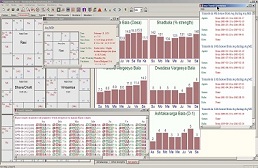
In terms of the range of calculations available, technical depth and breadth, level of customizability of calculations and ease of use, Jagannatha Hora is unsurpassed by any contemporary Vedic astrology software package. If interested, please check out a nearly complete list of the features.
Download
To download any of the following zip files, click the right mouse on the "Download" link and select "Save target as" in the pop-up menu. The corresponding zip file will be saved on your computer in the directory you choose. Go to that directory in a windows explorer. Locate the zip file and unzip it. You will get a file with the same name, with .zip in the file name replaced by .exe. Run the executable by double-clicking on it. The corresponding installation should start in a few seconds. Read the instructions and follow them. The first screen may give a security warning about an unknown publisher. If you give permission to the installer executable to run by clicking "Run", the installation will proceed.
Read the following carefully and choose the version to download.
1. jh_update.zip (2.6 MB): If you already have Jagannatha Hora version 7.3 (or higher) operational on your computer, you only need this update to move to the latest.
2. jh_short_install.zip (3.7 MB): Fresh and short installation of Jagannatha Hora. It contains accurate ephemeris for 1800-2400 AD and uses an approximate analytical model for other dates in 2999 BC-3000 AD. It has a very very small atlas with some important cities.
3. jh_full_install.zip (102.0 MB): Fresh and full installation of Jagannatha Hora. It contains accurate ephemeris for 12899 BC-16900 AD. It has a larger atlas with 2.5 million cities.
Note: The full version of 8.0 has many more ephemeris files than the full version of 7.66. The "update" does not automatically install all those files. If you want the full range (12899 BC-16900 AD), you should download the full version and install it.
Note: The zip files do not have any problem with them. Many people have successfully downloaded and installed the software. If you are unable to unzip them after downloading them or unable to install, it means that your download did not succeed for some reason. Keep trying until you succeed. We cannot help you with this and there is no use in sending us an email.
We do not distribute or sell the software in CDs. You have to download the software from the internet. You may also try to find someone who has already downloaded it and get them to make a CD for you.
Thank you for using this software. Please use it to help people and to conduct researches to enrich our collective understanding of Vedic astrology. It is the author's earnest and sincere hope that your use of this software will result in a lot of souls being helped and also in a renaissance in the knowledge of Vedic astrology!
Release History
Release of Version 5.0: May 8, 2003
Release of Version 6.0: July 1, 2004
Release of Version 7.0: February 23, 2005
Release of Version 7.1: March 22 & 30, 2008 (List of improvements)
Release of Version 7.2: May 8, 2008 (List of improvements)
Release of Version 7.3: December 3, 2008 (List of improvements)
Release of Version 7.32: January 14, 2009 (List of improvements)
Release of Version 7.33: July 22, 2009 (List of improvements)
Release of Version 7.4: March 21, 2010 (List of improvements)
Release of Version 7.5: February 9, 2011 (List of improvements)
Release of Version 7.51: February 21, 2011 (List of improvements)
Release of Version 7.6: May 27, 2012 (List of improvements)
Release of Version 7.61: June 10, 2012 (List of improvements)
Release of Version 7.62: June 25, 2012 (List of improvements)
Release of Version 7.63: October 23, 2012 (List of improvements)
Release of Version 7.64: December 22, 2012 (List of improvements)
Release of Version 7.65: December 31, 2013 (List of improvements)
Release of Version 7.66: May 1, 2014 (List of improvements)
Release of Version 8.0: January 1, 2016 (List of improvements)
Thank you for visiting this page and downloading this software.